

In this article, we will explore the features and functionalities available to the HOD (Head of Department) role in detail, providing a comprehensive understanding of their capabilities and permissions.
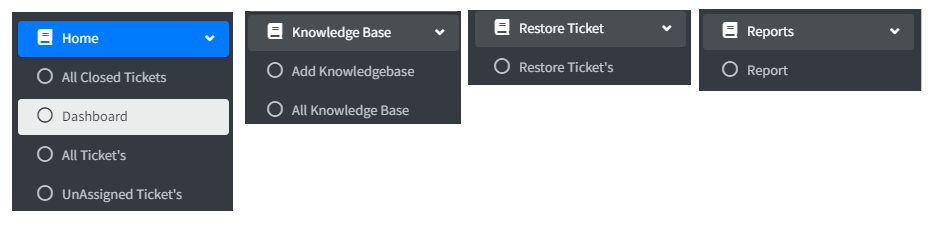

Dashboard
After logging into the Application, you are redirected to the dashboard page where you can see all tickets status in one View.

Hod can see all tickets assigned to agents and agent admin inside his assigned department.
All Ticket’s
A list of tickets will be shown here along with search features.

All Unassigned Tickets
A list of unassigned tickets will be shown here along with search features
Hod has the right to assign unassigned tickets.

After clicking on the assign ticket option, you will see a popup that will show a list of agents and agent admin of that department just choose any one user and click on the save option.

All Closed Tickets
In this view, hod can see all closed tickets by all agents and agent admin in the department.

Restore ticket
If a ticket is deleted, and you need to recover it, you have the option to restore it. This allows you to bring back the deleted ticket along with its details, ensuring no important information is lost.

Just choosing a single ticket and clicking on Restore Option will ask for confirmation and after confirmation, it will be restored.

Knowledgebase
A HOD can add a new knowledge base article.

All Created Knowledgebase
This view displays all created knowledge bases.

Reports
Hod has a report feature. He can view the report of his department.
Take an example Hod with report Department “support” can see all Agents details of Department support.
There are different types of reports HOD can view.
- Agent Wise Ticket Status Report
- Department Wise Ticket Status Report
- Ticket Overdue Status Report
- Ticket Overdue User Wise Report
- Ticket Escalation Report
- Ticket Deleted Report
- Priority Wise Ticket Status Report
- Agent Detail Report
- User Wise Check-in Checkout Report

GitHub Link :- https://github.com/saineshwar/VueTicket
Learn from beginning :- https://tutexchange.com/introduction-to-vuetickets-a-ticketing-application/