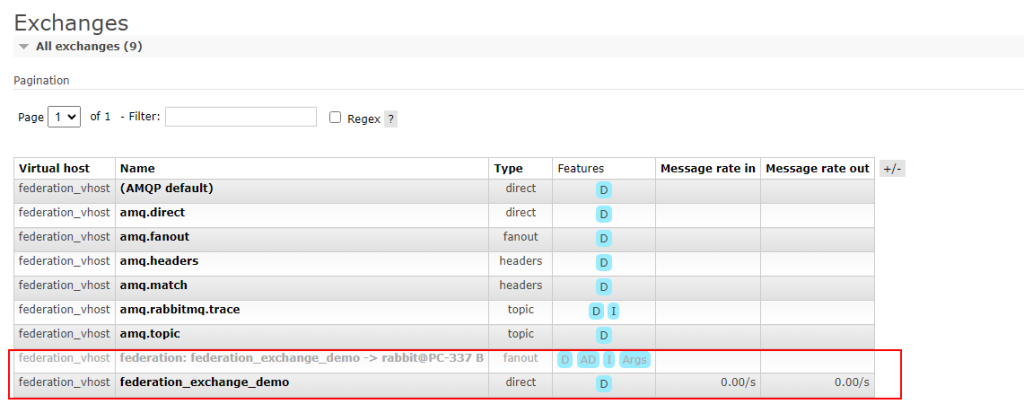
Federated exchange differs from the federated queues. Exchanges replicate the flow of messages from one location to another.
In this setup, an exchange on the remote host connects to an upstream server’s queue where all messages are published.
In simple words “Federated exchanges replicate messages“.
- this can do load balancing by adding one cluster for the producer and another cluster for the consumer
- when we need to send the same message to several locations
- Federation has several use cases, such as collecting messages from multiple clusters to a central cluster, distributing a queue’s load across multiple clusters, and migrating to another cluster without interrupting producers or consumers.
What is Upstream and Downstream?
Upstream servers are the servers towards messages that are originally published.
Downstream servers are where the messages get forwarded to.


Requirement
- Know which one is your Upstream Server and DownStream Server
- Enable :- rabbitmq-plugins enable rabbitmq_federation “On Downstream Server “
- Must Have the same Exchange Name and Queue Name and binding on Both Servers.
- Upstream Server Where Messages are Originally Published.
- Downstream Server where the messages get forwarded to.
First, we are going to Enable the rabbitmq_federation Plugin on the Downstream Server.
After enabling we are going to see these Options on the Server.


Clicking on Federation Upstreams to configure it.
Here we are going to Enter Upstreams Server Details and Configure it.
Enter Name:- federation-policy
URI :- amqp://admin:guest@127.0.0.1:5672/
Example :- [amqp://Username : Password @ IPAddress : PORT ]


After Adding a new upstream.


Now to Check the Status


Now we have configured the Federation exchange. Next, add Policy.
Adding Policy
Add Name:- federation-policy
Pattern:- .federation_. “This pattern should match with Exchange Name.”
Federation :- federation-upstream-set : all


After Adding now when we push a message to the Upstream server then we are going to receive message on the downstream server.
We can consume messages on both upstream and downstream servers.
Upstream server
Message will be uploaded to upstream first then it is moved to downstream server.


Downstream server